How Do Our Kids Listen To Music?
My daughter always loves listening to music and radio plays. When she turned three, she already knew how to operate the CD player I got in 1994 and that is still actively used in our living room. But I wanted her to have more autonomy about her music choices. While many parents teach their kids very early to consume playlists on streaming services or buy into a proprietary solution, I stumpled upon Phoniebox, an open source Jukebox with RFID tokens based on the Raspberry Pi. That's very liberating, because it is an offline solution, it will not lock you into a single music distribution channel (all my CDs and music bought through Bandcamp will still work), and you can get creative when it comes to customizing your kids' music listening experience.
User Experience and Woodwork
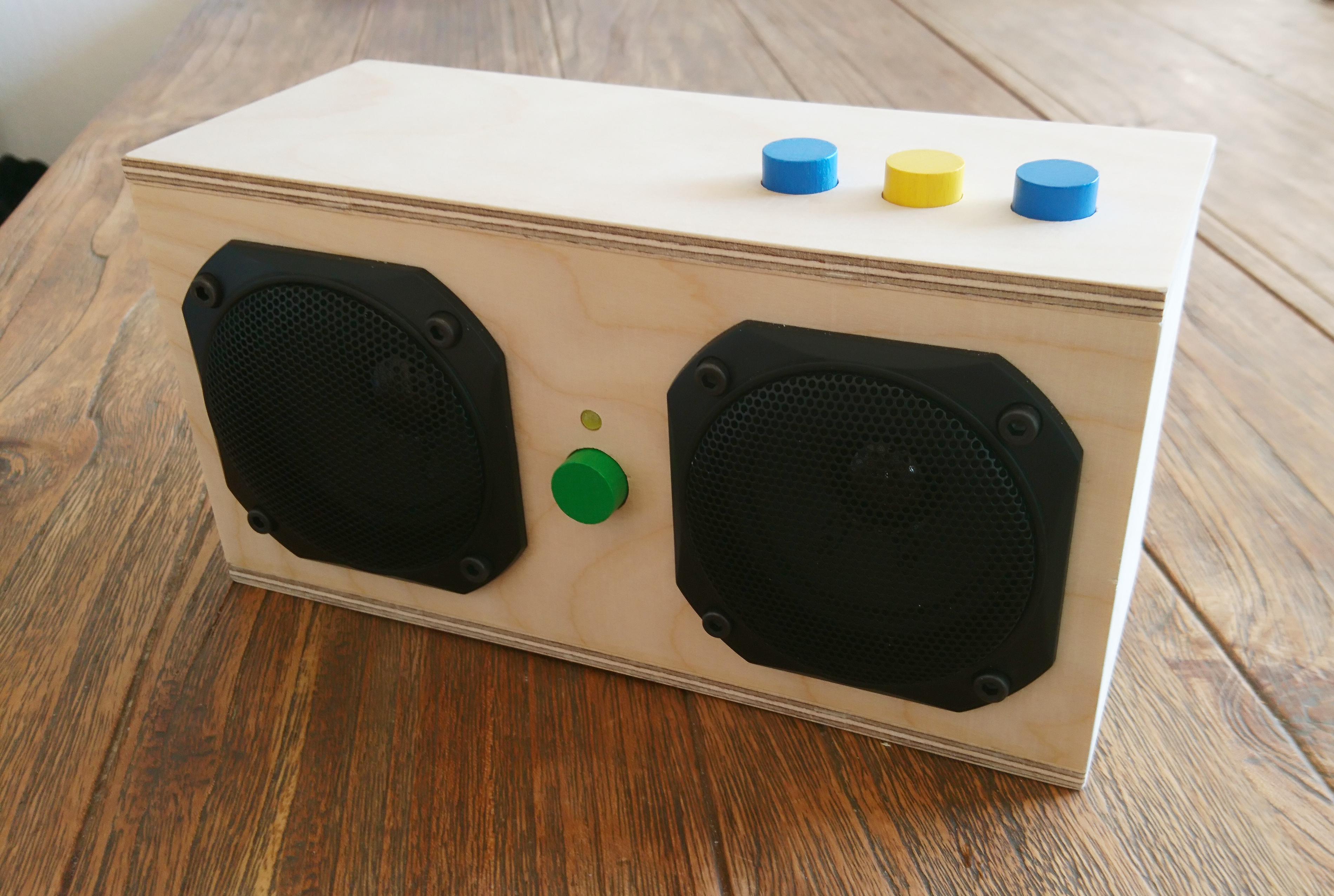
I very much like the idea of using a physical token to represent an album. Kids can browse through their library, decide what to listen to, put it on the player and stick with it for the length of the album. If they need a playlist, they can simply build a little stack. So I needed to build a box with loudspeakers, an RFID reader and basic controls: an on/off switch (with LED to indicate the box is on), start/stop button with LED (to indicate the box is playing), backward and forward buttons, and a volume control. I wanted the player to play as soon as a token is placed on top of it, so the user experience is really straightforward even for a three-year old.
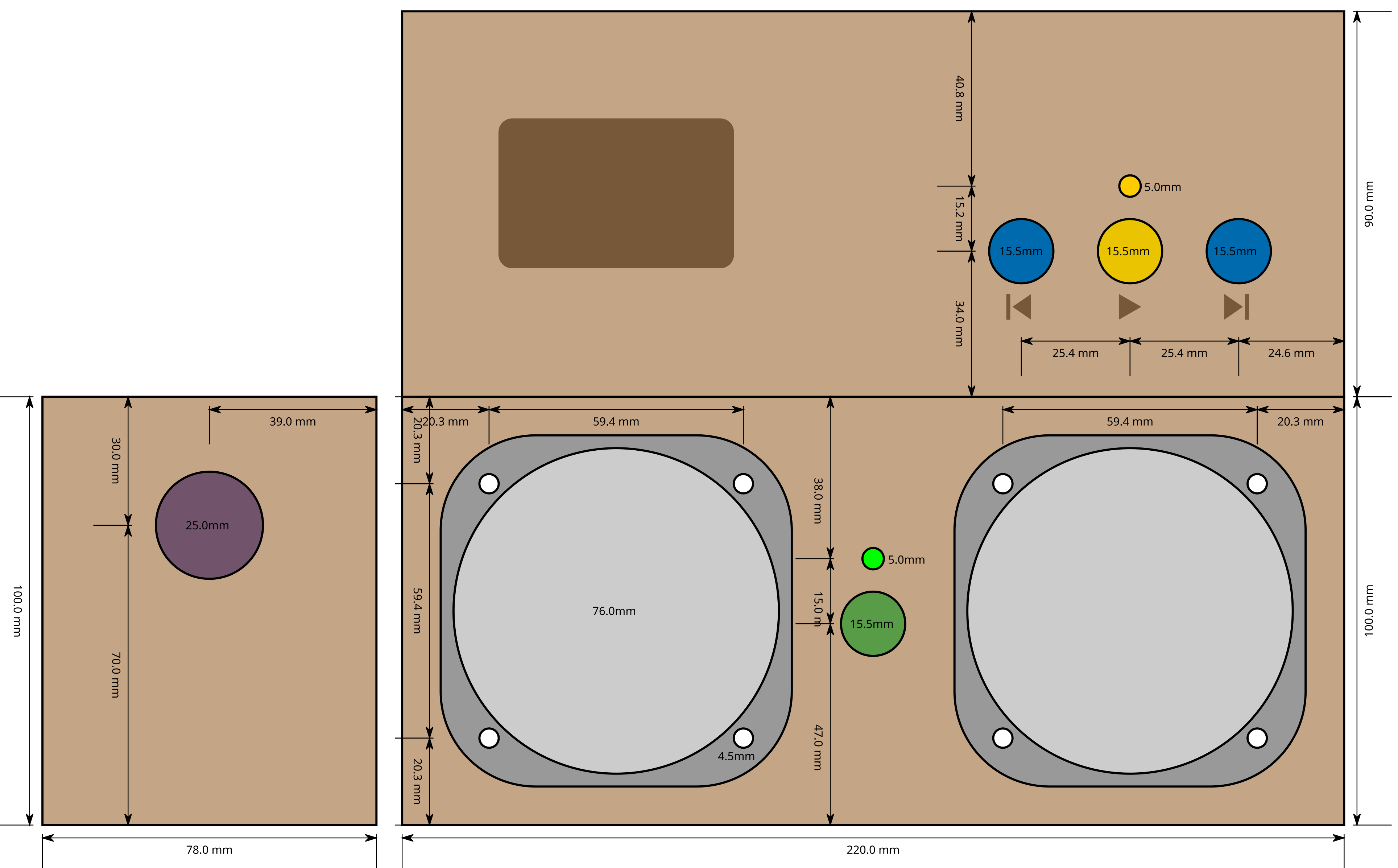
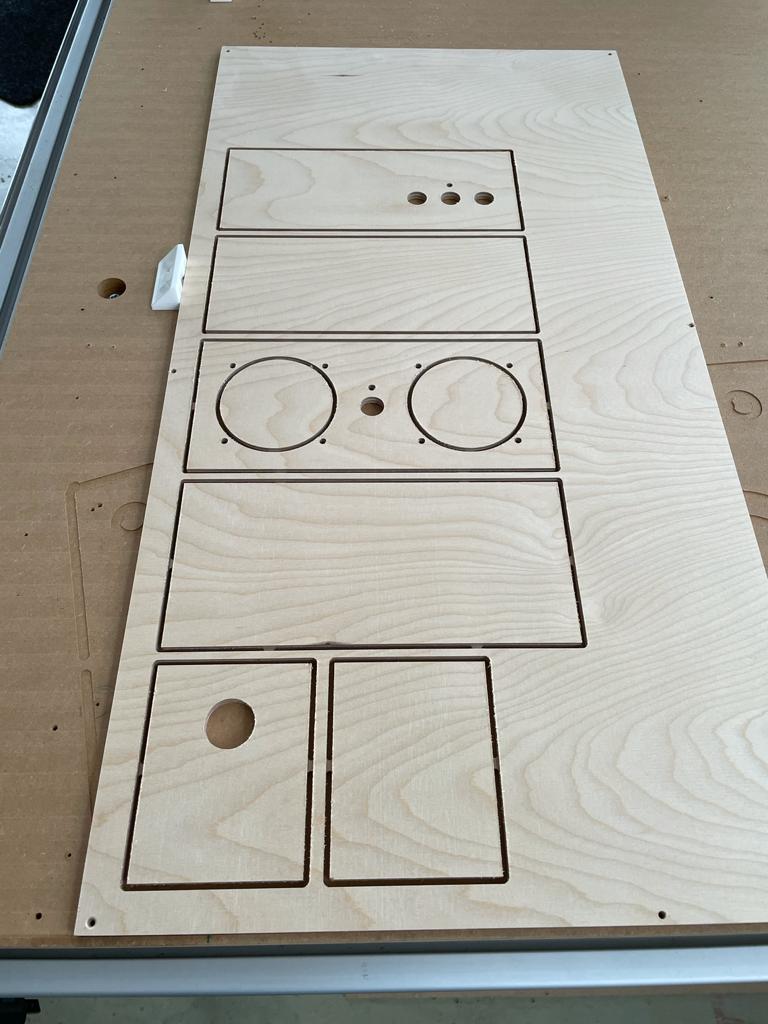
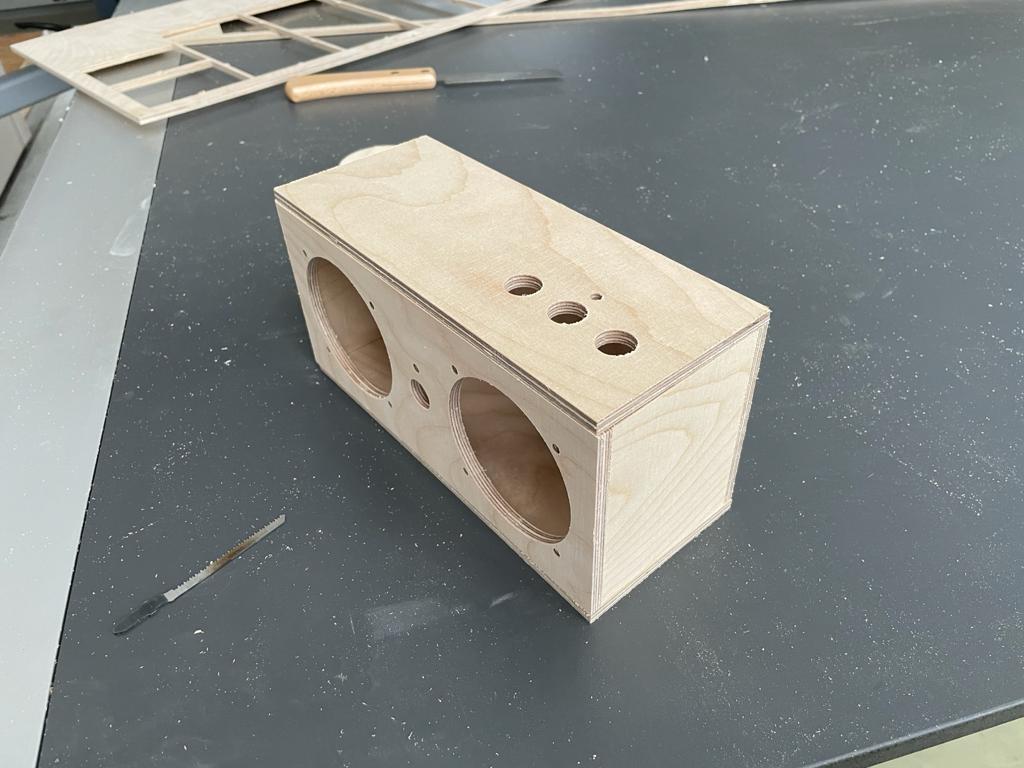
Luckily I have friends who own a CNC machine, so I constructed a little box of 6mm plywood measuring 220x100x90mm in Inkscape, and they helped me to transfer it to the CNC and cut it. For the buttons, I used colorful 15mm game tokens I found at eBay. The box turned out great and the next step was to build the electronics.
Audio Playback System
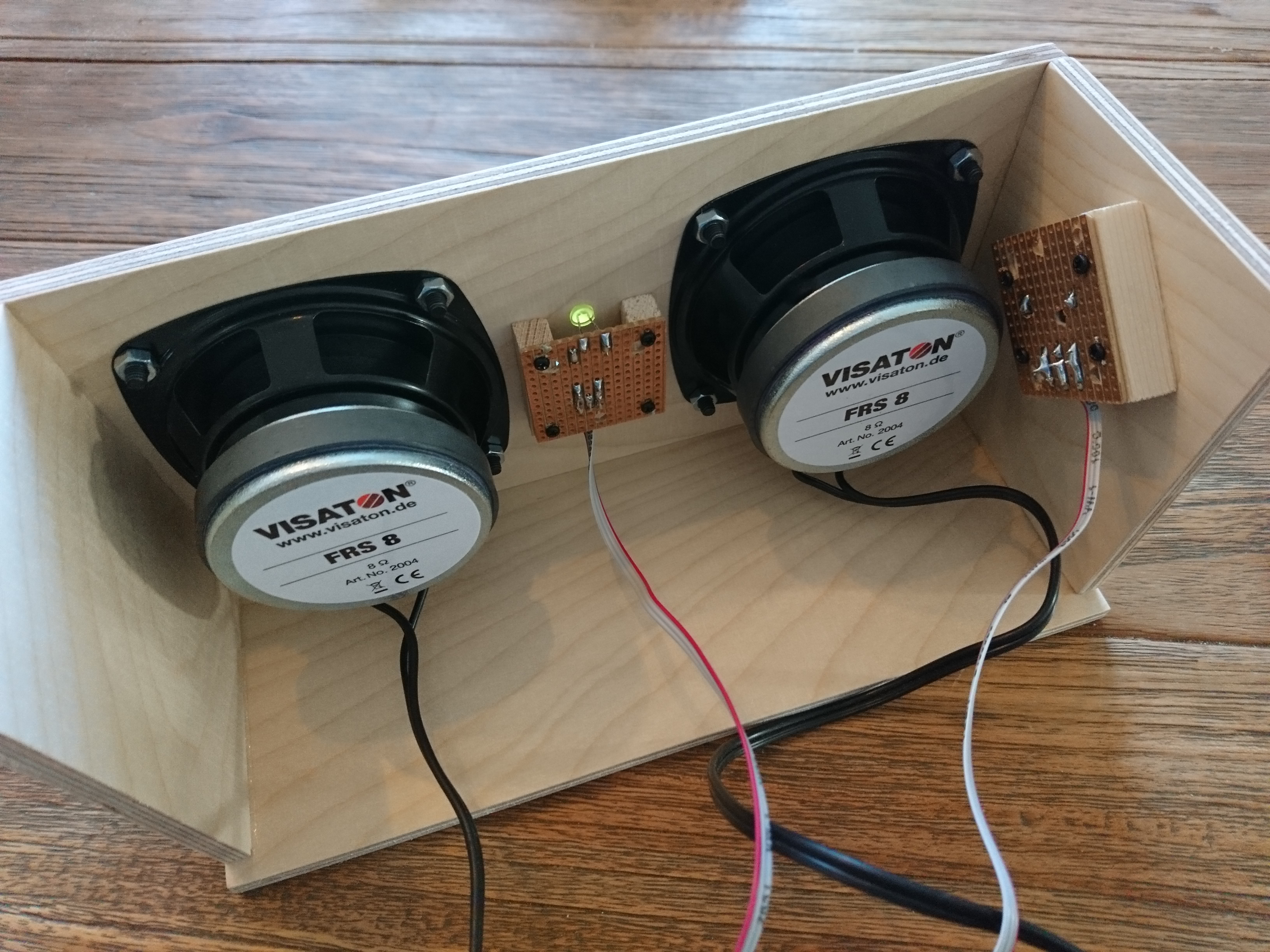
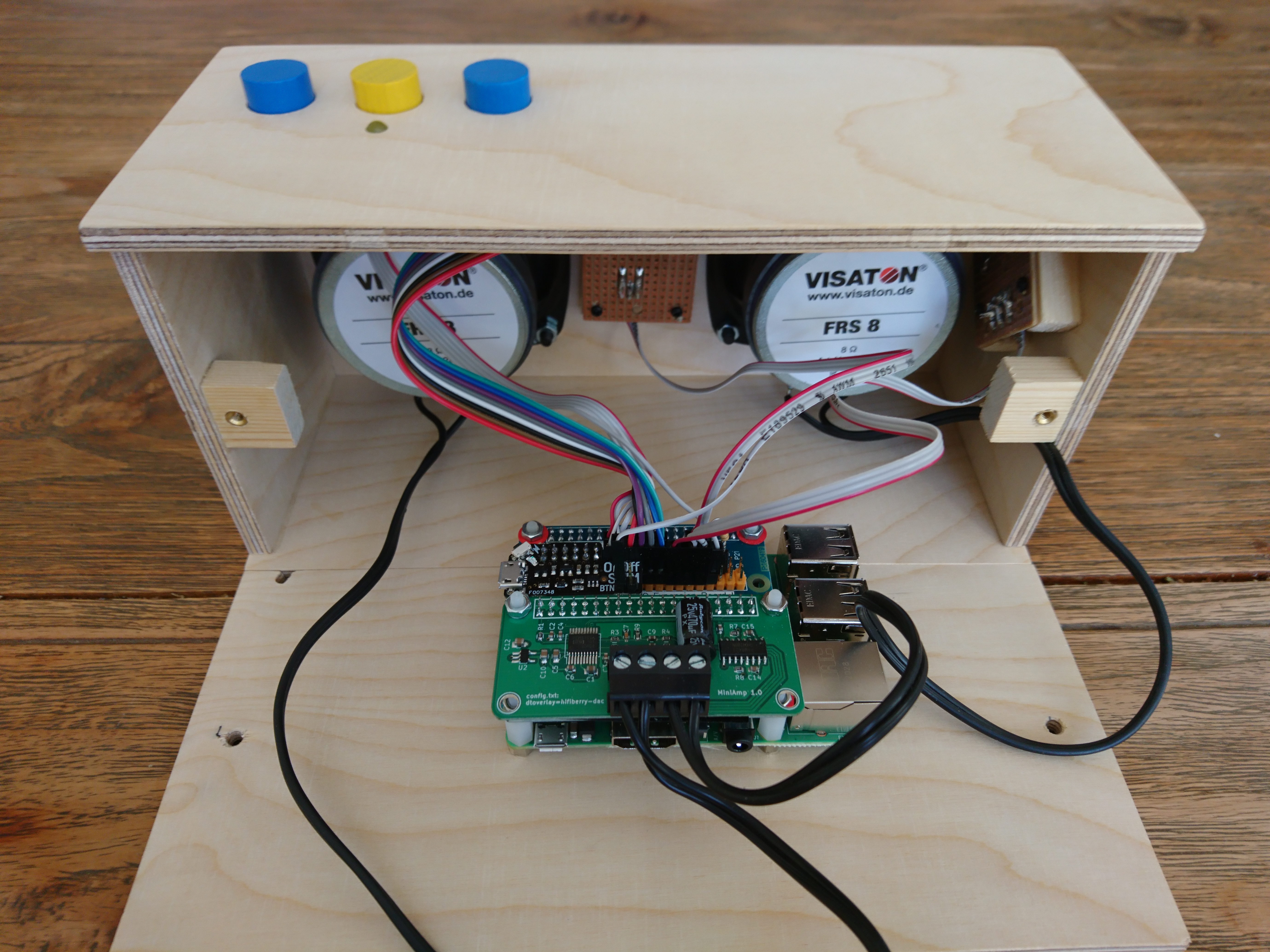
For the audio playback, I chose a pair of Visatron FRS 8 loudspeakers, which provide a nice linear frequency range and are built in a very compact way. They can be powered by the tiny Hifiberry MiniAmp which delivers 3 Watts of power, enough for a small music system.
The system is based on a Raspberry Pi 3 Model B+, which provides enough GPIO connections and USB interface to hold the music library on a stick. I added an Piromoni OnOff Shim to be able to switch the board on and off using the power button. For the RFID interface, I use the RC522 13.56MHz RFID reader which easily connects via SPI interface, and can read NFC tag stickers. Everything wires nicely together on top of the Raspberry Pi. One thing that I didn't consider is a battery – and I didn't find a powerbank that will fit into the small box and play nicely with the OnOff Shim. So we'll stick to the original wall power adapter for now.
As the operating system, I created a custom headless image using Buildroot Embedded Linux that boots within a few seconds and hosts the ALSA driver and Phoniebox Jukebox System. Make sure to browse the Phoniebox Wiki for many more details and a variety of options how to build your own box.
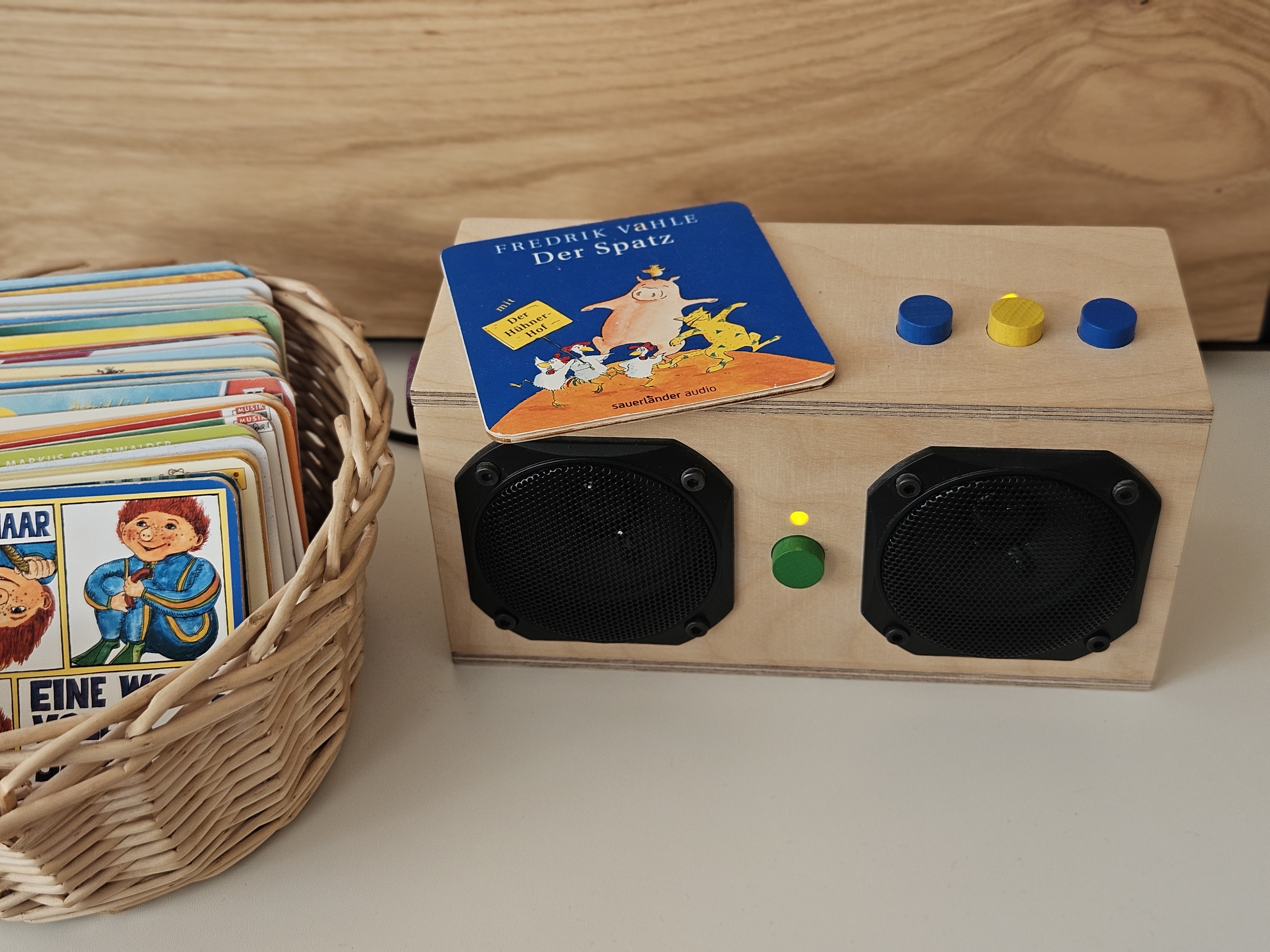
In the end, my kids love the box, and it keeps running the original firmware since 2021. It sounds very natural, is easy to use and never failed so far. We've created nice wooden plates with NFC stickers on the bottom and printed the CD covers on paper glued on top, so this makes a nice library that is easily extendible. I think it's a great way to showcase the value of individual music albums to your kids and help them to explore and chose the things they like from the overwhelming amount of options these days.